Monday, September 09, 2013

ICY News: Intel Announces New Business-Oriented SSD Pro 1500 Family, Supports New DevSleep Power Saving Mode

"Intel has announced a new family of SSD hardware aimed at business deployments with support for 256-bit AES encryption, the Trusted Computing Group's Opal management specification, and support for the vPro features inside Haswell. This last is a bit inaccuracy -- while the new drives do apparently support some vPro capabilities for remote management, Haswell didn't actually include any new features for vPro that Ivy Bridge doesn't support. Haswell's vPro implementation is supposed to be faster in certain circumstances, however.

With this new family, Intel is talking up Trusted Computing and remote management capabilities, and emphasizing the fact that these products are designed to hit ultra-low power consumption targets and failure rates below 1% per year. Actual drive performance is typical for SATA 6G products, with sequential read/write speeds up to 540MB/s and 490MB/s for the new hardware. Power consumption in what Intel calls DevSleep is 5 milliwatts, with power consumption in DevSleep mode as low as 200 microwatts (0.2 milliwatts).

DevSleep, if you haven't heard of it before, is a new power-saving mode that's supported on Haswell chipsets. The goal is to further lower SSD power consumption while enabling smartphone style instant-on operation. Bringing power consumption down as low as 0.2mW in idle will help prevent the stealth battery drain that kicks in when a system is left in sleep mode for significant periods of time.  "


Link to the Entire Article:  Intel Announces New Business-Oriented SSD Pro 1500 Family, Supports New DevSleep Power Saving Mode

Friday, September 06, 2013

ICY Tip: ICY DOCK Hard Drive Enclosure Selection Guide for Enterprise and Media Professionals

Untitled Document
ICY DOCK Hard Drive Enclosure Selection Guide for Enterprise and Media Professionals
 
Technological advancements have considerably enhanced our generation’s standard of living, and as time progresses the significance of data storage becomes more imperative to both our work related and personal operations. Everyone needs storage space. Your HTPC needs a huge capacity HDD to store all your movies, music and photos collection, your gaming rig needs a SSD to quickly load up your software and games, and your backup/DVR system needs a drive with hot-swap function so you can quickly swap the backup drive with the new drive or access the drive with other systems. If you’re a designer you need an enclosure that keeps your drive cool to extend the drive’s life span and protect your work.

ICY DOCK specializes in making stylish hard drive enclosures with unique features that’s specifically designed for different types of applications. Whether you’re an avid video editor, gaming enthusiast, Disc Jockey, or an everyday Joe that needs storage solutions, ICY DOCK has the products you require.
 
Please select the series that fits your need, click the banner to learn more about the series (or continue to scroll down to learn more about our external line up):
 
 
September ICY Tip Giveaway - 9/6/2013 to 9/15/2013
IcyDock will be hosting a giveaway to those that have read this article, with the prizes being the products that you’ve seen on this product selection guide. This free giveaway will be from September 6th 2013 to September 15th 2013, and the winner will be chosen/ announced by end of September on our Facebook page and blog. Head over to our News Page to learn more about the eligibility requirements and to learn more about our products!
 
 
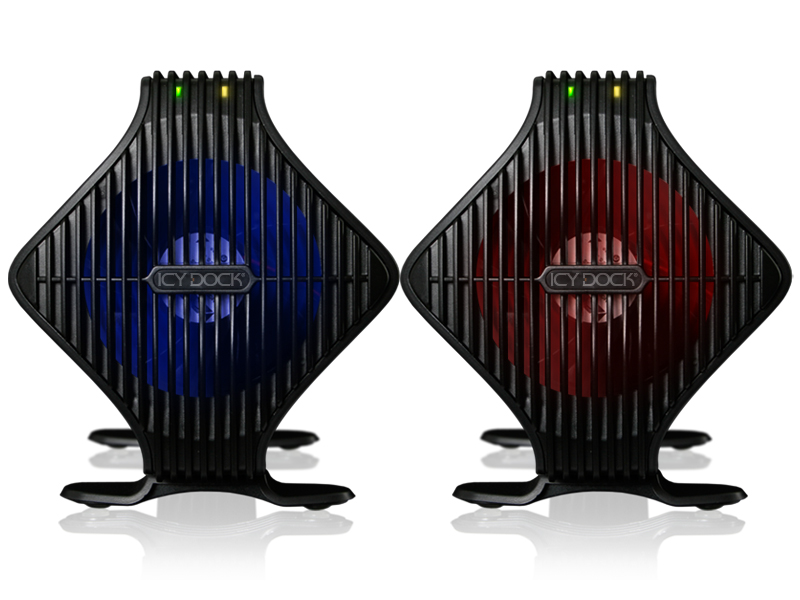
ICY DOCK Blizzard Series - Maximize the cooling efficiency of the drive and extend the drive’s lifespan - Ideal for intense applications
 
Suggested applications: external storage for DVR, surveillance, NAS, graphic & video rendering system. Perfect for 3.5” SATA 10,000 RPM WD Velociraptor HDD
 
It’s a simple fact heat decreases the lifespan of electronics, and there’s no exceptions for hard drives. Video, photo editing and gaming are typically very resource intensive and can cause hard drives to reach temperatures upwards of 50°C. When these drives are consistently under immense loads and staggering temperatures, hard drive failure is inevitable.

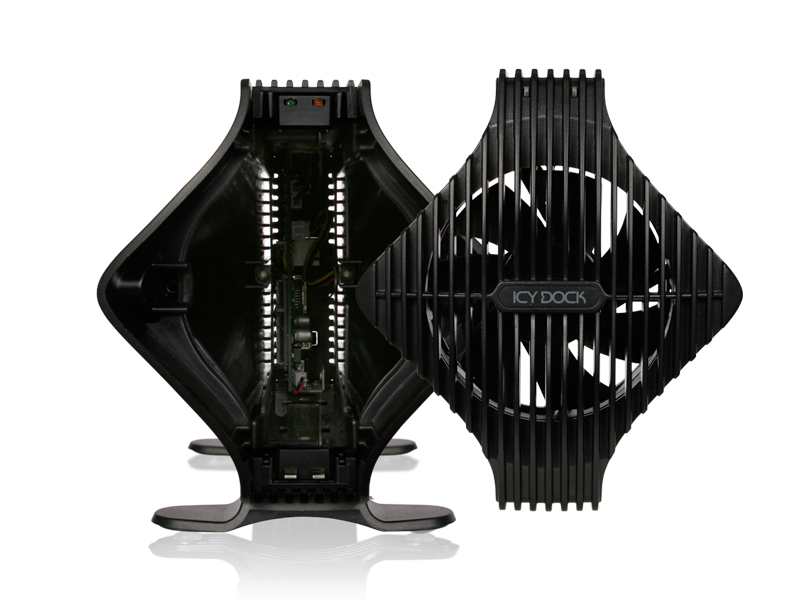
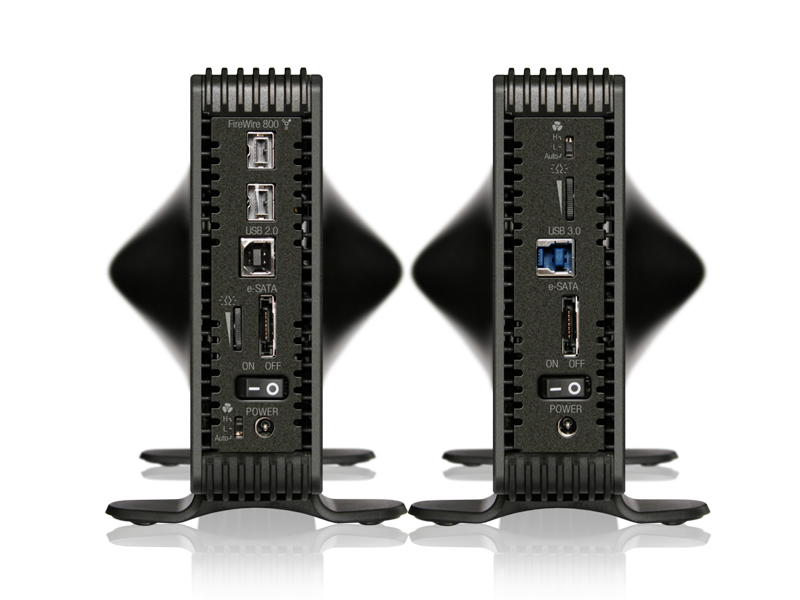
The ICYDOCK Blizzard combats that issue by providing an enclosure with a whopping 80mm fan located on the front panel to dissipate heat. Adjustable LEDs provide visual aid, switching to cautionary red when temperatures exceed 50°C and reverting to default ambient blue when drives are at ideal temperatures. The built in fan controller allows you to select low, high, and auto speeds to adjust the fan speeds according to your needs, with auto mode properly adjusting the fan speed based on your hard drive’s requirements. The tool-less drive installation allows you to quick install or swap the drive in seconds, which is perfect for professional users that consistently switch drives.


ICY DOCK ICYBento Series - Portable elegant design with hot-swap EZ-Tray system – Perfect for data transportation
 
Suggested applications: external storage for backups, computer repair centers, office & school computers, graphic & video storage, DJ music archives
 
Over the past few years video, audio, and photo quality have increased tenfold along with their file size. It simply feels as if there’s not enough portable storage to transfer all these media files between locations –until now. ICYDOCK has engineered a blend of elegance, mobility, and functionality and coined it the ICYBento.

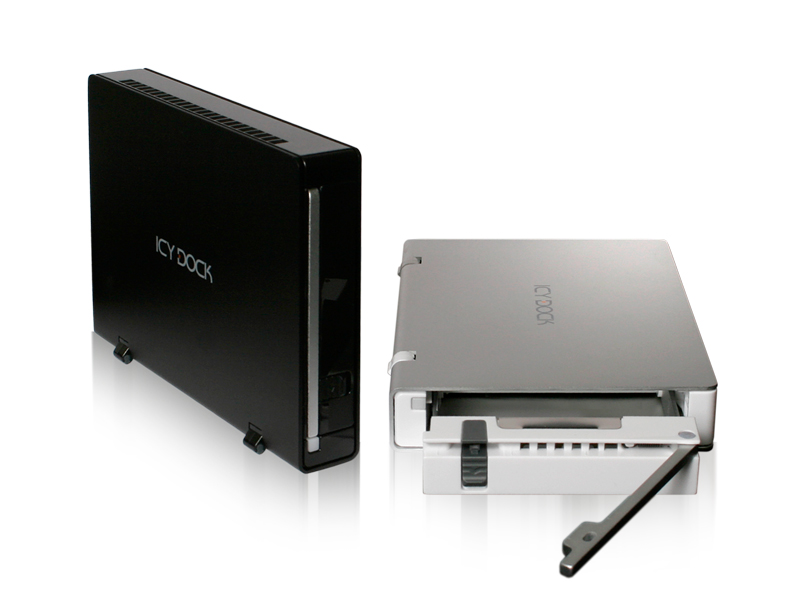
The ICYBento was designed with the deliberation of having small form factor for portability, and cross compatibility with many of our other product lines such as the ICYCube, DataCage and FatCage series –simply eject from one Ez-Tray device and insert into another without the need to shut down your system. Simplicity and the ability to hot swap make this the perfect device for anyone requiring quick access and on-the-go storage.


ICY DOCK ICYRaid Series – Dual bay support with hardware RAID built-in (SAFE / FAST) – Designed to protect your data 24/7
 
Suggested applications: transfers between drives (JBOD), mission critical backup (SAFE mode), advanced graphic & video rendering (FAST mode)
 
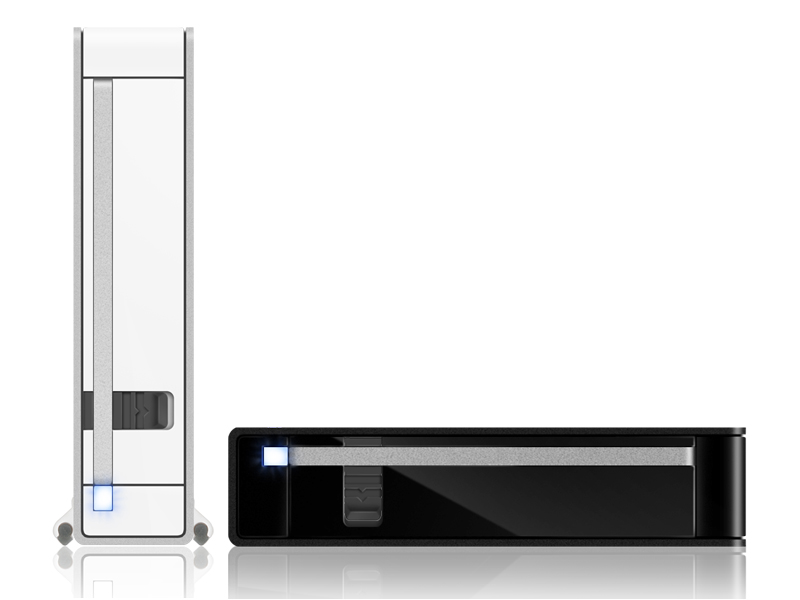
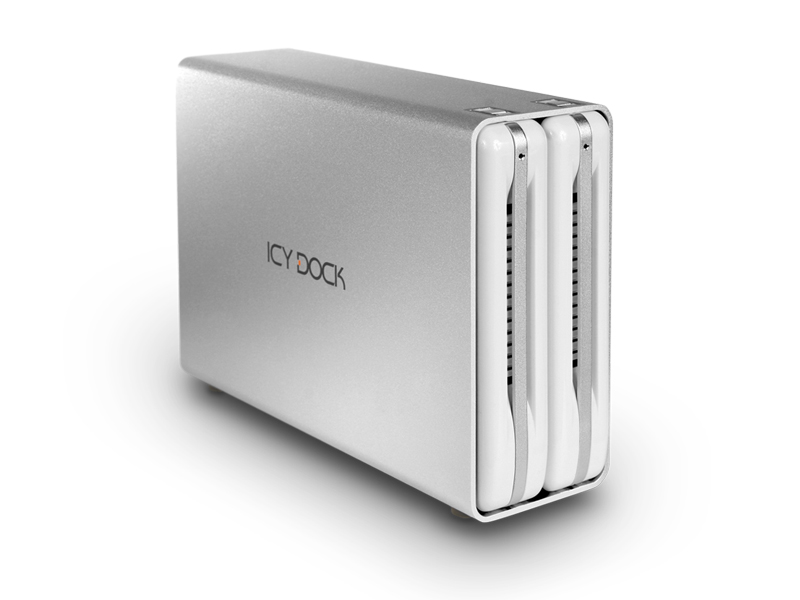
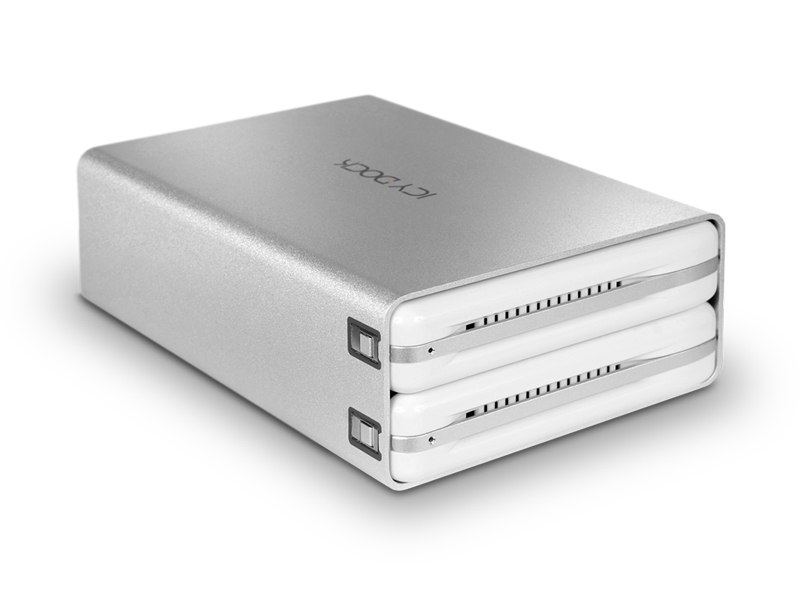
It’s a must-have enclosure that packs every function you could think of in a small form factor, and that’s why the ICYRaid series has become one of our most popular enclosures. It accepts two drives so you can transfer data from one drive to another, it has built-in SAFE mode which mirrors the drives so in the event that one drive fails, you’ll always have another as backup. If you are looking for maximum capacity and performance, simply choose FAST mode and it combines the drives and double the transfer speed. One would think that with such versatility and sleekness, this unit would be complex, but ICY DOCK has engineered the ICYRaid to be simple and easy to use without any technical knowledge. Simply insert the drive with the tool-less drive installation design, switch the RAID mode to the desired settings, plug in the power and cable, and you are ready to go.


Phone Support: 626.956.8800
Email Support: tech@icydock.com
Live Chat Support – Click HERE
 

ICY DOCK September ICY TIP Giveaway Contest (09/06/2013 to 09/15/2013)

Untitled Document
ICY DOCK September ICY TIP Giveaway Contest - 9/6/2013 ~ 9/15/2013
 
ICY DOCK will be giving one lucky contestant a product of his/her choice valued at up to $199. The prize includes our latest USB 3.0 dual bay RAID enclosure! Stay tuned as there will be many upcoming raffles in the future.
 
The requirements to be eligible for September ICY TIP giveaway are simple:
1.
Like our Facebook page - https://www.facebook.com/icydockusa.
2.
Read up on our September ICYTIP "ICY DOCK Hard Drive Enclosure Selection Guide for Enterprise and Media Professionals." Find out which product(s) support screw-less drive installation and message us through Facebook with the answer(s).
ICY DOCK Hard Drive Enclosure Selection Guide for Enterprise and Media Professionals
 
Entries:
The giveaway contest is available for USA and Canada only
One entry per person and you must be at least 13 years of age to enter
Winner will be randomly drawn from participants with the correct answer to the question posted
Contest runs from September 6th - September 15th
The Winner will be announced on our Facebook page and on our ICY DOCK blog


Terms and Conditions: Event begins 9/6/13~9/15/13. Each participant is limited to one (1) entry per customer (U.S. and Canadian residents only). Posting on online forums or Facebook must follow the rules & guidelines as listed. All entries must be submitted by 9/15/13 midnight EST with all required information noted above otherwise they will be disqualified. The winner will be chosen / announced by end of September on our Facebook page and blog. Winner is required to contact tech@icydock.com to submit valid shipping information within 7 days of the winning announcement.
 

ICY News: Fragging wonderful: The truth about defragging your SSD

"With smarter file systems and faster disks and PCs, file fragmentation isn’t the performance suck it once was. Older computers had a habit of splitting files and spreading the parts all over your hard drives, but modern ones don’t do this as much. Not even close. That said, a bimonthly pass with a capable defragger can help you maintain peak performance on a heavily used hard drive.
However, solid-state drives, which use flash memory instead of a hard-drive platter to store data, are another story: My tests showed little or no benefit from running a number of disk defragmenters on a heavily used SSD.
Conventional logic dictates that you should never defrag an SSD, because the SSD controller writes data in a scattershot-fashion to multiple NAND chips and locations, using algorithms that only the controller understands. The operating system sees it as a hard drive with sectors, but the data is spread all over the drive by the controller. Defragging these “sectors” is like trying to assemble a jigsaw puzzle blindfolded: You can feel parts of the pattern, but you can’t see the whole picture. In addition, NAND is good for only a few thousand write cycles, so defragging can reduce the SSD’s lifespan by unnecessarily writing data to it."

Thursday, September 05, 2013

ICY News: Intel Demonstrates Overclocking SSDs At PAX Prime 2013 But Is It Worth It?

Intel Demonstrates Overclocking SSDs At PAX Prime 2013 But Is It Worth It?"At PAX Prime 2013, Intel hosted a short hands-on workshop showcasing their latest bleeding edge idea: overclocking SSDs. The demonstration was simple: run an Intel 480GB (6Gb/s SATA) SSD at stock speeds, then overclock the onboard controller, and then overclock the NAND bus frequency to demonstrate the performance improvement that can be achieved.
“The real question,” says Intel’s Product Marketing Manager Kei Kobayashi, “is whether or not we can squeeze enough performance out of the drive to justify the risk versus the reward.”

The Demo


We used AS SSD Benchmark v1.6 to first run a test of the SSD at standard speeds.

Intel 480GB SSD AS SSD Benchmark results with no overclocking

For the next test ,we used Intel’s Extreme Tuning Utility to increase the NAND bus frequency on the SSD from its default 83Mhz to 100Mhz, and then ran the test again. This yielded a very modest increase of around 20MB/s for sequential reads and 30MB/s for write speeds."

Wednesday, September 04, 2013

ICY News: WD Red 6Gb SATA HDDs for NAS With More Capacity

2.5-inch at 1TB ($99) and 3.5-inch at 4TB ($229) like Seagate offering
WD announced the expansion of its WD Red line of SATA HDDs specifically designed for home and small office NAS systems with one- to five-drive bays. 

wd_red_line

WD Red HDDs are now available in a 2.5-inch form factor offering 1TB and 750GB capacities and a new 3.5-inch 4TB capacity. 

Link to the Entire Article: Storagenewsletter: WD Red 6Gb SATA HDDs for NAS With More Capacity


Friday, August 30, 2013

ICY News: Recover Data Launches Windows Data Recovery Software 3.0

"Selective recovery, find files and resume recovery
Recover Data Pvt. Limited has launched Windows Data Recovery Software version 3.0.

The software incorporates features to perform selective file recovery, find feature to locate the files, and resume the recovery process at a later stage.

It helps in retrieving data lost due to accidental formatting, power failure, HDD crash, registry corruption, boot record corruption, processor inconsistency, RAM errors, motherboard malfunctions, OS inconsistency, logical errors, physical damage, and system application errors. In addition, it possess ability to recover data lost due to emptying of recycle bin or by using Shift+Delete keys."


Link to the entire Article(StorageNewsLetter): Recover Data Launches Windows Data Recovery Software 3.0

Thursday, August 29, 2013

ICY News: History: Milestones in HDD Capacity


From 5MB in 1956 to 4TB today
 Year
Maker
Model
 Capacity  More Than
 1956  IBM  350 Ramac     5MB     1MB
 1961  Bryant  4240    90MB    50MB
 1965  IBM  2302-3   100MB   100MB
 1974  IBM  3330-11 Iceberg   200MB   200MB
 1975  STC  8800 Super Disk   880MB   500MB
 1981  IBM  3380  1.26GB     1GB
 2001  Seagate  Barracuda 180   182GB   100GB
 2005  Hitachi GST  7K500   500GB   500GB
 2006  Seagate  Barracuda 7200.10   750GB   750GB
 2007  Hitachi GST  7K1000     1TB     1TB
 2008  Seagate  Barracuda 7200.11    1.5TB    1.5TB
 2009  WD  Caviar Green WD20EADS     2TB     2TB
 2010  Seagate  External GoFlex Desk     3TB     3TB
 2012  Hitachi GST  7K4000     4TB     4TB

 (Source: Disk/Trend and StorageNewsletter.com)
Now everybody is at 4TB, Tohiba, Seagate, WD as well as its subsidiary HGST; The first 5TB and 6TB HDDs are expected next year in 3.5" form factor.

     First HDD Form Factor Introduction


Form factor  Year introduced Company
 39-inch  1961  Bryant Computer
 24-inch  1956  IBM
 14-inch  1963  IBM
 10.5-inch  1981  Fujitsu
 9.5-inch  1988  Hitachi
 8.8-inch  1984  Hitachi
 8.0-inch  1979  Shugart Associates
 6.5-inch  1993  Hitachi
 5.25-inch  1980  Seagate
 3.5-inch  1983  Rodime
 3.0-inch  1996  JTS
 2.5-inch  1988  PrairieTek
 1.8-inch  1991  Intégral Peripherals
 1.5-inch  1991  Ecol.2
 1.3-inch  1992  HP
 1.0-inch  1999  IBM
 0.85-inch  2004  Toshiba
  (Sources: Disk/Trend and StorageNewsletter.com)

Hard drive industries are growing rapidly with more capacity and smaller form factor. Almost every user have high capacity HDD nowadays that its not a necessity to purchase multiple small capacity drives since it would be a waste of space for extra drive. To keep safe and secure with high capacity HDDs, getting an enclosure to protect the drives may be the best solution to prevent loss of any data.

Link to entire Article from StorageNewsletter: History: Milestones in HDD Capacity

Wednesday, August 28, 2013

ICY News: Kingston SSDNow E50 for Data Centers Announced

"Kingston is announcing the forthcoming SSDNow E50, the company’s latest enterprise-class SSD engineered with affordable NAND for applications that do not have heavy endurance requirements. The SSDNow E50 will be positioned as the less-expensive sibling to the previously announced SSDNow E100, which features 30K NAND that is more suited for write-intensive server environments than the E50. According to Kingston, the SSDNow E50 is oriented towards caching, transactional processing, and improving the performance of virtualized applications - all while reducing the overall cost of ownership. "


Tuesday, August 27, 2013

ICY News: Intel Set to Enable Overclocking of Solid-State Drives.


"It is possible to overclock nearly everything these days. Microprocessors, graphics cards, memory; even game consoles and smartphones can be overclocked. As it appears, it is also possible to overclock solid-state drives (SSDs). In fact, Intel Corp. plans to demonstrate how to boost performance of SSDs yourself at the upcoming Intel Developer Forum next month."
 
How reliable will it be to overclock SSDs? Will you over clock your SSDs?


 Link to the entire Article: Intel Set to Enable Overclocking of Solid State Drives