Setting up your own file server is no easy task. Normally, people go the route of using an old PC or they build a new one from the ground up. Then comes choosing the right operating system and setting it all up. This process can take a single day, or weeks depending on the user's technical skill level.
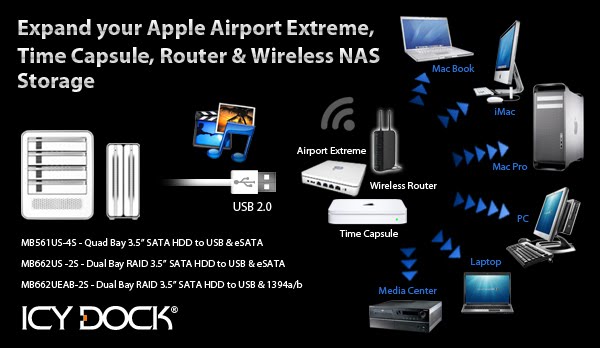
The folks over at Code Lathe have made things much, much simpler. Using their TonidoPlug, a user can have a file server complete with software and hardware up and running in less than an hour. All you need is the TonidoPlug and a USB storage device, such as the Icy Dock MB561US-4S-1.
Our friends at Code Lathe were kind enough to send us an evaluation unit to test out with the MB561US-4S-1, and we have written a small review to touch on the many features the plug has to offer.
The folks over at Code Lathe have made things much, much simpler. Using their TonidoPlug, a user can have a file server complete with software and hardware up and running in less than an hour. All you need is the TonidoPlug and a USB storage device, such as the Icy Dock MB561US-4S-1.
Our friends at Code Lathe were kind enough to send us an evaluation unit to test out with the MB561US-4S-1, and we have written a small review to touch on the many features the plug has to offer.
What is a TonidoPlug?
TonidoPlug is a tiny, low-power, low-cost home server and NAS device powered by Tonido software that allows you to access your apps, files, music and media from anywhere.
Initial Thoughts
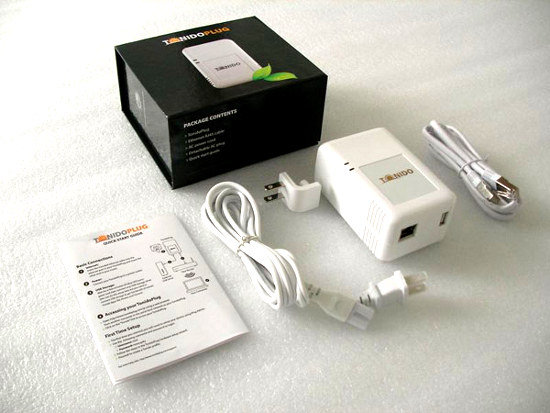
After opening up what I can only describe as a very elegant box, I discovered that the plug was smaller than I anticipated. It included the power cord and Ethernet cable, and the plug itself, along with some documentation and simple instructions on how to set it up for the first time.
One thing I noticed that I was not aware of was the plug's ability to use a power cord which connected to the top of the plug, rather than the back. That being said, it also comes equipped with rubber feet on the backside so that it can lay on a desk or shelf. To me, this was a relief. I was trying to figure out how I would situate the device without it being behind my desk or just being stuck on the wall. Things were looking good already.
Setting It Up
Getting the plug up and running for the first time could not have been simpler. As I mentioned, the packaging included a small instruction sheet for setting it up the first time. You enter in a URL in your browser which detects a TonidoPlug on your local network. Now if for some reason the plug is not detected, like in my case, there is an easy way to manually find it. Using the MAC address on the back of the device, you can search for it rather than having the software automatically detect it.
After this, you enter your Tonido software running on the plug and go through the standard set up; setting a password and account name, network settings, etc, etc. The account name chosen is how you access your server. (e.g. icydockusa.tonidoid.com)
Finally, setting up our MB561US-4S-1 Quad Bay External Enclosure was the easiest part. After getting the 4 drives attached to the EZ Slide trays, we loaded them into the box and then connected the USB 2.0 cable to the plug. The power was switched on, and the 4 drives, formatted using NTFS, were instantly connected and ready to go.
Interface and Features
We tested the TonidoPlug using our MB561US-4S-1 with four 3.5” HDDs, each one with a different capacity. To get the most out of our enormous storage space, we decided to load up each drive with a different type of media. There was no method to this madness; it was simply random files and file types on each drive. However, having 4 drives does allow for better organization, separating them by file type or media. For example, a user could have separate drives for movies, pictures, music, and documents.
The first thing to notice is the interface. It is a very user friendly, and an extremely clean and pleasant design. Each feature is clear to the user, and is organized neatly.

(Home screen of web interface)
Now, to view all storage devices connected to the plug, we can use the explorer application, which gives the user the ability to browse all drives and their contents.

(View of all mounted volumes in Explorer)
Using explorer, the user can also create folders, download files, and upload files from the machine they are using. Also, looking to the left in the picture above and below, you can see quick links for commonly used actions such as share, rename, copy, and delete. These quick links are shown for each file, folder, and drive when using explorer, making it very easy to manage your data.

(View of single volume in Explorer)
Needless to say, the people at Tonido have gone through great lengths to make a beautiful and fully functioning piece of software. Everything can be done through your browser, from anywhere with an internet connection. However, to make it even easier for you, using WebSharePro (included free with the Plug, but $15 otherwise), you can create a shared volume or folder that can be mounted as a local drive. To show this, I created a shared volume with one of the drives and named it “usb” and allowed a user of name guest to have download and upload capability.

(Setting up a shared folder in WebSharePro)

(Shared folder mounted in Mac OS X)
As you can see above and below, the drive mounts as if it were a normal drive connected to the computer, allowing you to manage your files with Finder in Mac OS X or Explorer in Windows operating systems.

What this review does not touch on is the other countless features and applications included in the Tonido software suite. Below is a list along with a short description of some of the applications that I thoroughly enjoyed playing around with.
Torrent: Allows the user to download torrents directly to the plug’s USB storage. Start, pause, and stop transfers, and manage the network settings like upload and download speeds.
Jukebox: Make your entire music library available via the Tonido interface. Make playlists and share them with anyone.
Money Manager: Create a financial profile that lets you track your expenses and assets.
Photos: Upload your photo library and share it with anyone. Also included is the ability to create photo albums and slideshows.
Back Up: Fully functional back up utility. It has potential to be a RAID1 alternative by having a drive connected to the plug mirror itself to another drive connected to the plug.
Final Thoughts
Icy Dock approved! Here at Icy Dock, we have a very high standard of quality that we adhere to, and the TonidoPlug has met our expectations. I consider the entire software suite and hardware to be something I would be happy with, however there are some features I wouldn’t mind seeing in future releases of the software and hardware that could sweeten the deal.
Software
*Document editor for quick edits.
*A RAID 1 type of setting for USB storage. Obviously this can be done utilizing Back Up, but a preset function would be nice too.
*Improved browsing capability for Jukebox, something similar to iTunes or Windows Media Player; browse by artist, song, or album.
Hardware
*An eSATA port. Port multiplier support is not necessary, but would be welcomed if possible.
*An additional USB port. Getting away from a hub with a power supply would be ideal, especially if one wanted to connect a couple of mobile drives to the plug.
Obviously these are more personal preferences however I am sure other users are looking for some of the same things.
For more information, please check out the Tonido (www.tonido.com) and the TonidoPlug (www.tonidoplug.com) websites for more information. I also highly recommend following the CodeLathe blog (http://www.codelathe.com/blog/) for Tonido software and hardware updates.
A huge thank you to Tonido for giving us the opportunity to play with the TonidoPlug and see how great it really is!
Cheers,
Team Icy Dock